· Press My Crew, Chicago Ridge
Which files can I send?
We take PNG, JPG, WebP and PDF files, up to 10 MB each.
- A PNG with a see-through background is best for most logos.
- A PDF is great if your logo was made in a design program.
- Made it in Illustrator, Photoshop or Canva? Save it as a PDF or a large PNG first.
Just changing a file’s name, like from .ai to .png, does not change what is inside it. Our upload checks the file itself and will turn it away.
The design studio shows PNG, JPG and WebP pictures. To send a PDF, choose “Have us design it,” or upload it on your private order page after you check out.
Why does my logo look blurry when it prints?
Pictures are made of tiny squares called pixels. A logo saved from a website, or a screenshot, has only a few of them. It looks fine on a phone. Stretch it across a shirt and it turns fuzzy.
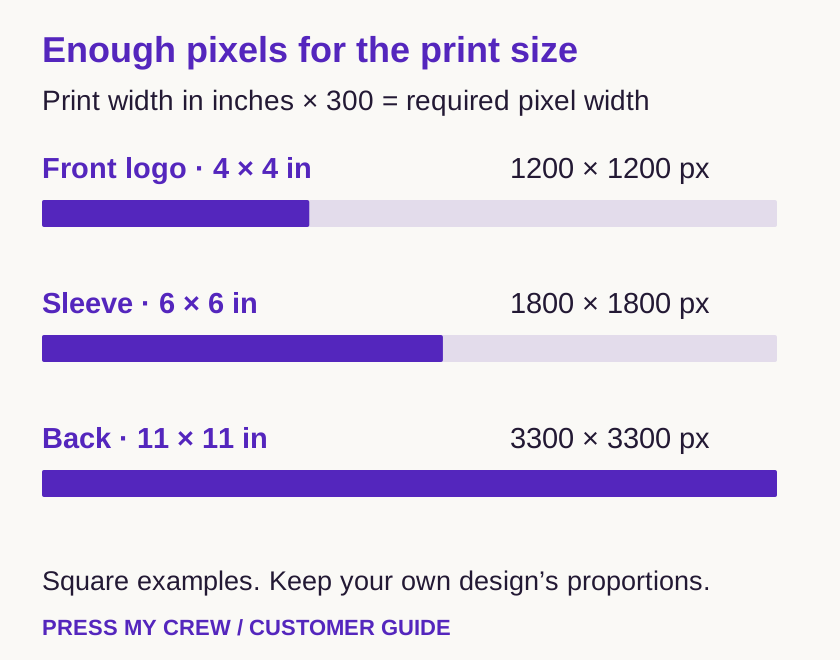
Here is the rule: you need 300 pixels for every inch you print.
- Front logo, 4 × 4 in: 1200 × 1200 pixels
- Sleeve, 6 × 6 in: 1800 × 1800 pixels
- Back, 11 × 11 in: 3300 × 3300 pixels
Your logo does not have to be square. A logo printed 4 inches wide and 2 inches tall needs 1200 × 600 pixels.
To check your file, look at its info or properties on your computer. You will see its width and height in pixels.
One trap: changing a “72 DPI” box to “300 DPI” adds no detail. The picture stays just as fuzzy. Ask whoever made your logo for the original file.
How do I get rid of the white box around my logo?
Whatever is in your file gets printed. That includes a white or black box behind your logo. So the background needs to be see-through. Designers call this “transparent.”
- Save your logo as a PNG with a transparent background.
- A gray-and-white checkerboard in a screenshot is not see-through. It is part of the picture, and it will print.
- Black is not invisible on a black shirt, either. The print looks and feels different from the fabric.
- Saving a picture as a PNG does not remove its background. The background has to be taken out first.
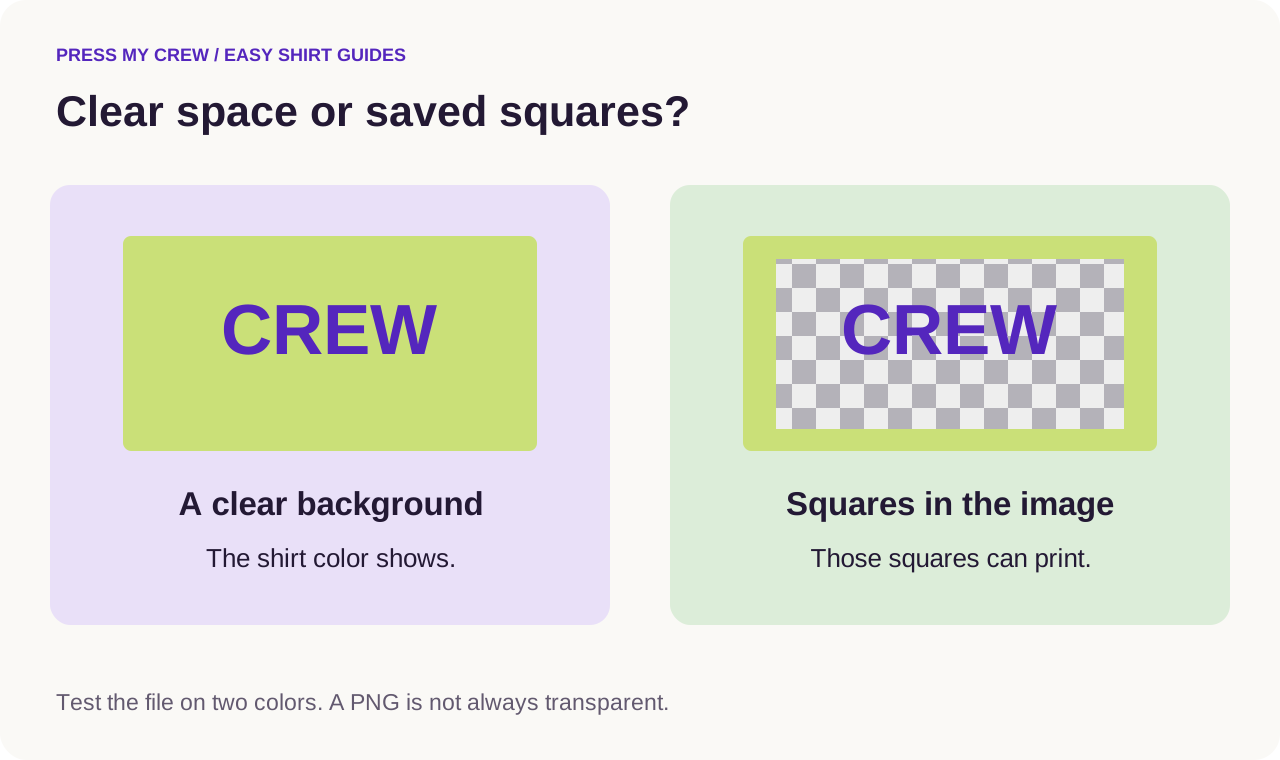
Here is a quick test. Open your logo in an art program and put a bright color behind it. Does the color show through the empty parts? Try a second color. If you still see a box or gray squares, they are saved in the picture. This happens a lot with screenshots and with pictures made by AI tools.
Keep the white parts you want. We can print white. If your logo has white letters, leave them in, and tell us which white parts to keep.
Check thin lines, small words and colors
Very thin lines and tiny letters can get lost. Keep lines at least 1 point thick and words at least 6 point. Zoom in on your file and look for stray marks, leftover sample words or odd shapes. What is in the file is what prints.
Send your file in RGB colors. Most programs use RGB already, and we take care of the rest. A screen glows and a shirt does not, so colors never match exactly. If one color really matters, like your brand color, tell us before you approve your proof.
Photos and QR codes
Photos print well. Start with the biggest, original photo you have. A photo sent by text message or saved from social media has usually been shrunk.
For a QR code, make it dark on a light background. Leave a clear border around it, at least as wide as four of its little squares. Print it on paper at its real size and test it with your phone. Test it again on the shirt, too. Fabric folds can make a code hard to scan.
Not sure your file will work?
Send the best file you have, and tell us what worries you. We place your artwork on the proof and tell you there if it will not print cleanly. Placing your artwork is included. Drawing or redrawing a logo costs extra, and we quote it first. Want to check a file before you order? Ask us on the contact page. We reply by email, and you can attach the file to your reply. Our artwork guide has the full list of rules.
Quick questions
- Is every PNG file see-through?
- No. A PNG can still have a solid background, or a checkerboard saved into the picture. Test it on a bright color.
- Will a black box vanish on a black shirt?
- Don’t count on it. The printed box can still look and feel different from the fabric.
- Can you help fix my file?
- Send us what you have, and we will tell you on the proof if it prints cleanly. Redrawing costs extra, and we quote it first.
More from the blog
- Custom T-shirts for a small team
- How much do custom T-shirts cost?
- How to pick soft custom work shirts
- Can you bring your own shirts for printing?
- When should you order shirts for an event?
- How to wash a printed T-shirt so the design lasts
- What size should a logo be on a T-shirt?
- Why do printed T-shirts feel different?
- Before you approve your proof: a 5-step checklist